Blame
|
1 | # Discord |
||||||
|
2 | |||||||
|
3 | <br/> |
||||||
|
4 | <div><a href="https://stonehavenmc.com/discord" onMouseOver="this.style.backgroundColor='#4F5AD9'" onMouseOut="this.style.backgroundColor='#5865F2'" style="padding-block:10px; padding-inline:30px; border-radius:6px; background-color:#5865F2; transition:150ms; color:white; text-decoration:none; font-family:inherit; font-size:16px; box-shadow: rgba(0, 0, 0, 0.1) 0px 2px 6px; text-shadow: rgba(0, 0, 0, 0.1) 0px 4px 6px;" target="_blank">Join our Discord Server</a></div> |
||||||
|
5 | <br/> |
||||||
|
6 | |||||||
|
7 | Here you can chat with the community, be alerted of events, and more! |
||||||
|
8 | |||||||
|
9 | ## Minecraft Integration |
||||||
|
10 | |||||||
| 11 | Stonehaven allows you to communicate with players in-game from Discord, even when you're offline! To do this, you will need to 'link' your Minecraft and Discord accounts. |
|||||||
| 12 | ||||||||
| 13 | You'll also need to link your accounts for your Rank to be reflected on the Discord Server. It will sync your Username/Nickname as well. |
|||||||
| 14 | ||||||||
| 15 | This will only take a second! |
|||||||
| 16 | ||||||||
|
17 | ### Linking Instructions |
||||||
|
18 | |||||||
| 19 | * Log into StonehavenMC |
|||||||
|
20 | * Run the command `/discordsrv link`. This will give you a four-digit code. Take note of this! |
||||||
|
21 | * If you're not already in the Discord Server, join [here](https://stonehavenmc.com/discord) |
||||||
| 22 | * Select the `#game-chat` channel under the "Text Channels" category. |
|||||||
| 23 | * Click on the profile picture of Stoney (a grass block on a white background) |
|||||||
| 24 | * On PC: |
|||||||
| 25 | * Type your four-digit code into the "Message" box and hit enter. |
|||||||
| 26 | * On Mobile: |
|||||||
| 27 | * Tap the "Message" button |
|||||||
| 28 | * Type your four-digit code and hit send |
|||||||
| 29 | ||||||||
|
30 | >| # Reference Images |
||||||
|
31 | >| 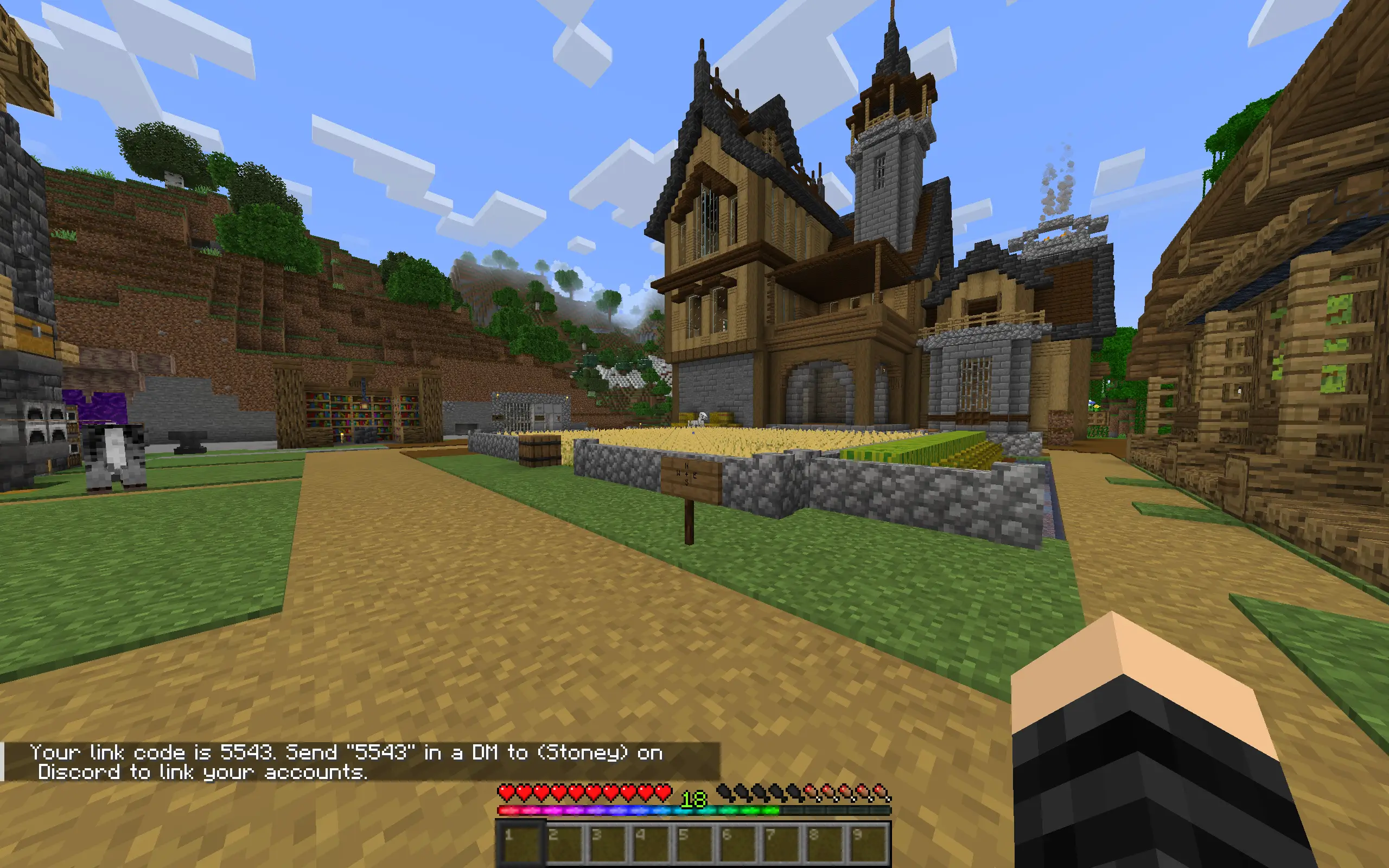 |
||||||
| 32 | >| 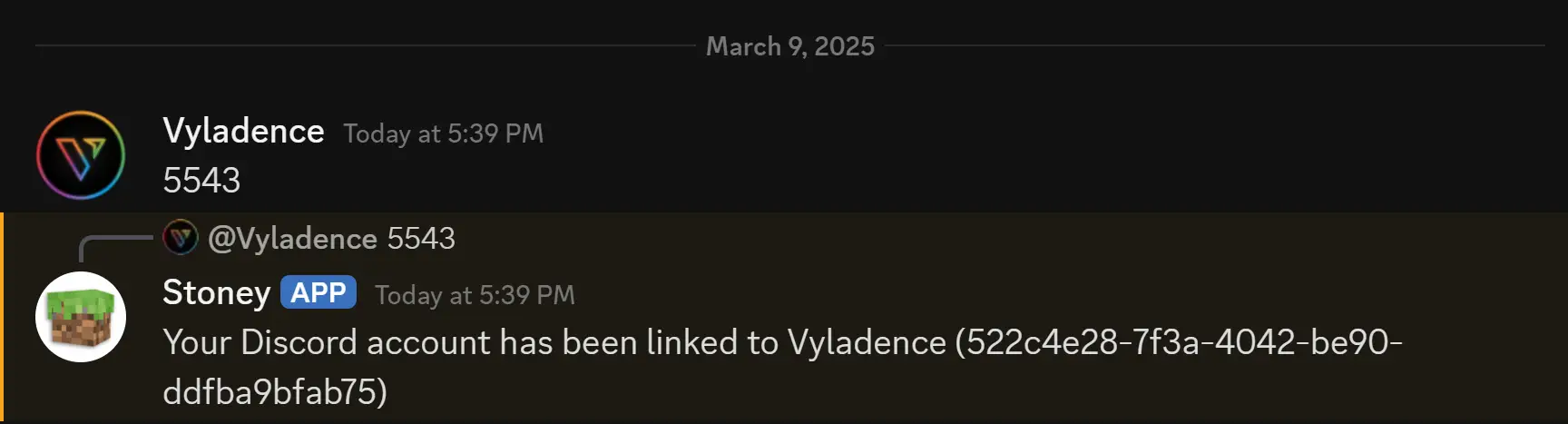 |
|||||||
|
33 | |||||||
|
34 | Your accounts are now linked on the server! You should now be able to send messages in `#game-chat` and they'll be reflected in-game |
||||||
|
35 | |||||||
| 36 | #### Linking bonus |
|||||||
| 37 | ||||||||
| 38 | As a reward for linking, you'll receive a small bundle of items including but not limited to two enchanted golden apples! |
|||||||